

EHR connection issues
EHR connections depend on external systems — your Epic, Cerner, or Athena instance — which means there are more potential failure points than in other parts of EVAL. This page helps you diagnose connection problems, authentication failures, sync errors, and launch issues using the Activity Log and connection status indicators.
For general EHR setup instructions, see Integrations. This page focuses specifically on what can go wrong and how to fix it.
Prerequisites: Account Administrator access is required to view and manage EHR connections.
Using the Activity Log
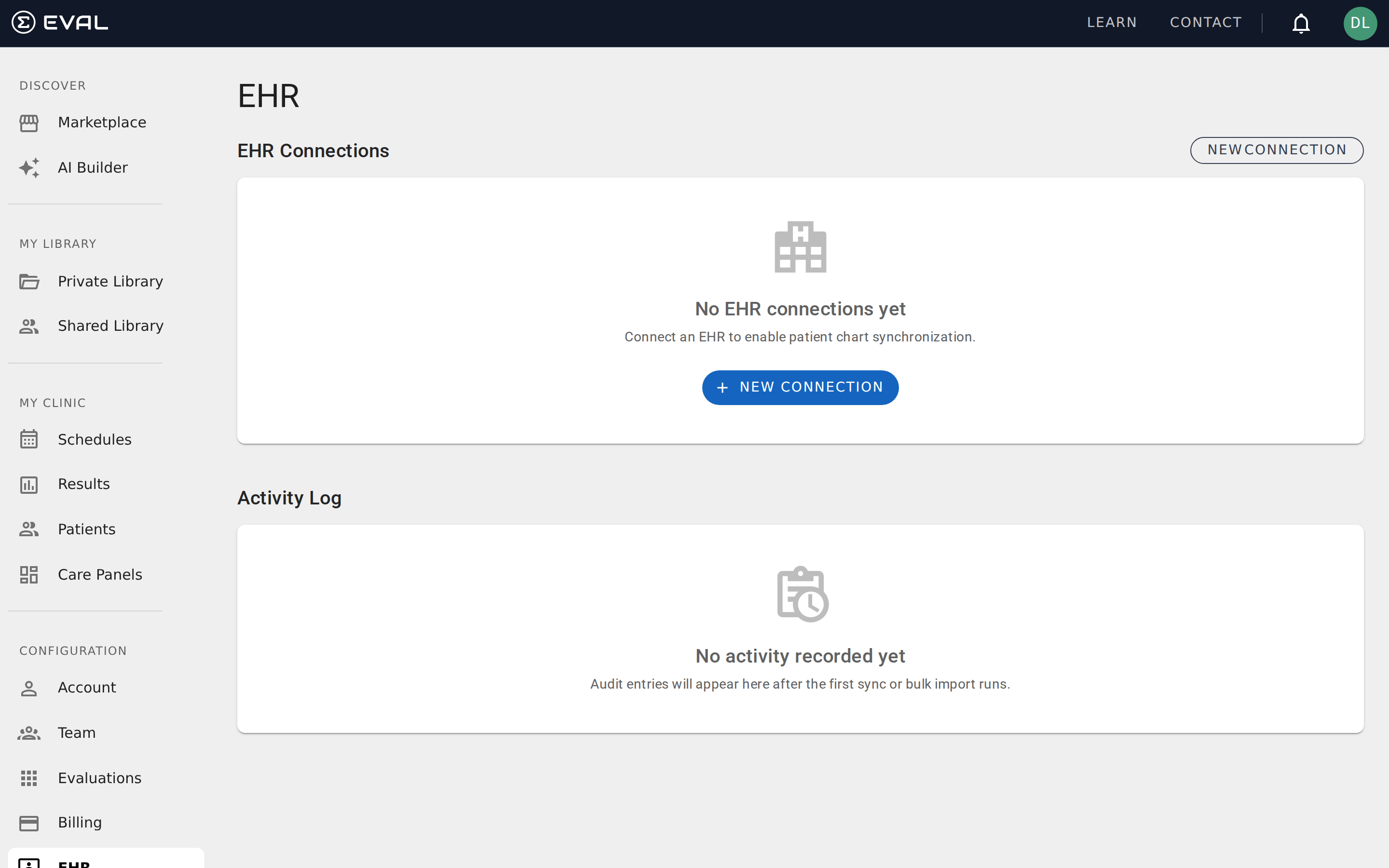
Section titled “Using the Activity Log”The Activity Log on the EHR page (under Configuration) is your primary diagnostic tool. It records every sync operation, showing the operation type, connection name, timestamp, record count, elapsed time, and status.
Each log entry shows one of two statuses:
- SUCCESS (green badge) — The operation completed without errors. The entry shows how many records were fetched and how long it took.
- ERROR (red badge) — The operation failed. The entry includes error details that explain what went wrong.
You can filter the Activity Log by Operation type (Patient Sync, Bulk Import, etc.) and by Connection to narrow down issues with a specific integration. Click Refresh to load the latest entries.
Connection errors
Section titled “Connection errors”These issues prevent EVAL from communicating with your EHR system entirely.
Connection fails during setup
The connection wizard couldn’t validate your FHIR endpoint or credentials. Verify that the FHIR Base URL is correct and accessible from the internet (not behind a firewall that blocks EVAL’s servers). Check that the client ID and secret are correct and haven’t expired. If your organization uses IP allowlisting, ensure EVAL’s server IPs are permitted.
Connection was working but stopped
A previously functional connection has started failing. The most common causes are expired credentials (client secrets have expiration dates), changes to your EHR’s FHIR endpoint URL (sometimes after EHR upgrades), network or firewall changes that block EVAL’s access, and revoked API permissions in your EHR system. Check the Activity Log for the specific error message, then work with your IT team to verify the FHIR endpoint and credentials are still valid.
Service discovery fails
EVAL couldn’t retrieve the FHIR capability statement from your endpoint. This usually means the URL is wrong, the server isn’t responding, or the endpoint requires authentication that hasn’t been configured yet. Verify the FHIR Base URL by testing it directly in a browser — you should see a JSON capability statement. If you get a 401 or 403 response, authentication is required before discovery can succeed.
Authentication errors
Section titled “Authentication errors”These issues involve credentials and authorization between EVAL and your EHR.
Authentication token expired
EVAL’s access token for the connection has expired and couldn’t be refreshed. For Background Service connections, this typically means the client secret has expired and needs to be regenerated in your EHR’s developer portal. For EHR Launch connections, the clinician may need to re-authorize EVAL from within the EHR.
Invalid client credentials
The client ID or client secret provided during connection setup is incorrect or has been revoked. Verify the credentials in your EHR’s application registration or developer portal. If the credentials were recently rotated, update them in EVAL by editing the connection configuration.
Insufficient FHIR scopes
The connection is authenticated but doesn’t have permission to access the requested resources. EVAL needs specific FHIR scopes (like patient/*.read for patient sync) to function. Check the API permissions configured for EVAL in your EHR system and ensure all required scopes are granted.
Patient sync errors
Section titled “Patient sync errors”These issues affect the import and synchronization of patient records.
Patient sync completed with partial failures
The sync operation finished but some records failed to import. This can happen when individual patient records have data formatting issues, required fields are missing in the EHR data, or specific records exceed FHIR resource size limits. Check the Activity Log for details on which records failed and why.
Duplicate patients after sync
The same patient appears multiple times in EVAL after a sync operation. This typically occurs when a patient has multiple medical record numbers (MRNs) in the EHR or when the matching algorithm can’t link records across syncs. Contact EVAL support to resolve duplicate records — manual merging may be required.
Patient demographics not updating
An existing patient’s information (name, address, phone number) isn’t being updated when the EHR data changes. Verify that the connection type supports ongoing synchronization (not just initial import). Check whether the sync is configured for one-time import or continuous updates in the connection settings.
Bulk import takes too long or times out
Large patient populations can cause sync operations to exceed time limits. The Activity Log shows the elapsed time for each operation. If imports consistently time out, consider running them in smaller batches or during off-peak hours. For very large populations (10,000+ patients), contact EVAL support to arrange a bulk import with appropriate resource allocation.
EHR Launch and SSO issues
Section titled “EHR Launch and SSO issues”These issues affect launching EVAL from within the EHR using SMART on FHIR.
EVAL doesn’t launch from within the EHR
The SMART on FHIR launch URL may not be correctly configured in your EHR. Verify that the launch URL registered in your EHR’s application configuration matches the one provided by EVAL. Also check that the EHR Launch connection type is enabled in EVAL and that the clinician has appropriate permissions in both systems.
Patient context not passed during launch
EVAL launches from the EHR but doesn’t load the correct patient. This usually means the FHIR launch context isn’t including the patient ID, or the patient ID format doesn’t match between systems. Check the launch scope configuration — it should include launch/patient — and verify that EVAL can resolve the patient ID from the launch context.
SSO authentication loop
The user is repeatedly redirected between EVAL and the EHR without completing sign-in. This typically indicates a misconfigured redirect URL, an expired SSO session, or conflicting cookies. Clear the browser cache and try again. If the issue persists, verify the redirect URL configuration in your EHR matches EVAL’s expected callback URL.
Diagnostic checklist
Section titled “Diagnostic checklist”When an EHR issue doesn’t match any specific error above, work through this checklist:
- Check the Activity Log — Filter by the affected connection and look for patterns in recent failures
- Verify credentials — Confirm the client ID and secret are current and haven’t been rotated
- Test the FHIR endpoint — Try accessing the FHIR Base URL directly to verify it’s reachable
- Check network access — Ensure EVAL’s servers can reach your EHR (firewalls, IP allowlists, VPN requirements)
- Review EHR permissions — Verify that EVAL’s registered application has the required FHIR scopes
- Check for EHR updates — Recent EHR upgrades can change endpoint URLs or API behaviors
- Contact EVAL support — If the issue persists, provide the Activity Log error details and connection configuration